The process
How to use
Download the Mod
Grab the free .jar file and drop it into your Minecraft Forge mods folder.
Log In from the Game Chat
Run in the Minecraft chat, using your PhotoCraft credentials — not your Minecraft ones. This connects your build library to the game.
Paste the Command
Run in the chat — your build appears right where you stand. Try the build.
Features
More than a generator
Your library
Every build stored with a preview in your dashboard, ready to place
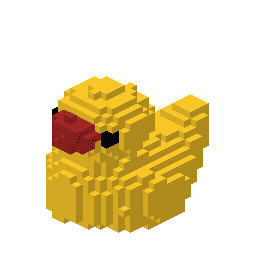
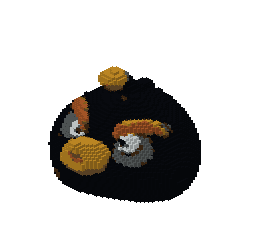
Rescale
Change the size of a finished build in 15 seconds — scale 1 to 10, more or less detail
Rescale "bomb"
Token refund
Request a token refund in 2 clicks if a build comes out wrong. Reviewed by a human within 3 hours
Pricing
One token — one build
Every generation or rescale costs a single token. The mod itself is free, and three demo buildsExamples of what you get from a photo, each one made with PhotoCraft. This is not three free generations. work without an account.
Creator
For trying it out on your own builds
- 40 tokens per month
- ∞ builds stored in your library
- In-game access via the free mod
- Refund requests
- Top up tokens anytime
- Priority generation queue
- Early access to new features
Pro Builder
For servers and creators who build a lot
- 100 tokens per month
- Everything in Creator
- Priority generation queue
- Early access to new features
Run out mid-month? Top up tokens anytime from your dashboard.
FAQ
Common questions
Is the result a real 3D build in game, or just a stylized image?+
A real one. You get a structure made of Minecraft blocks, placed in your world by our free mod with a single command — you can walk around it, climb it, break it and build on it like anything else.
Which Minecraft versions does PhotoCraft support?+
Java Edition 1.20.1 with Forge for now. More versions and loaders are on the way.
What if I am not happy with the result?+
Ask for the token back from your build library. A person reviews the request, usually within 3 hours, and the token returns to your balance. Requests are turned down only when the build clearly came out fine.
Do I need Litematica, WorldEdit, or schematic files?+
No. PhotoCraft does not produce .schematic or .litematica files and does not need any other mod. The PhotoCraft mod places the blocks directly in your world — nothing to import, nothing to lay out by hand.
Can I use it on a server or in multiplayer?+
Yes — install the mod on the server. The command runs server-side, so the players joining do not have to install anything; each one signs in with their own PhotoCraft account and places builds from their own library. Singleplayer and LAN worlds work the same way. Realms and Bedrock cannot run mods, so those are out.
Will it build anything I photograph?+
No. A busy or blurry photo leaves little for the pipeline to read, and the build comes out vague. One object, in focus, on a plain background is what turns into something cool.
Didn't find your answer? — we will answer it and add it to this page.
Mobile app
Snap and build without leaving the room
Shoot an object on your phone, generate the build on the spot and grab the command — no need to move photos to a computer first.